Best Work From Home Productivity Tools for Your Home Office
This blog post may contain affiliate links.
Best work from home productivity tools can make your day feel more focused, comfortable, and manageable when your home is also your office. I have been working from home in some form for over a decade, first in a hybrid setting and now full time, so I have had plenty of time to figure out what actually helps and what just takes up space. At this point, I know that working from home is not just about discipline or having a perfectly quiet house. A lot of it comes down to having the right setup and small systems that make it easier to stay on track.
Over the years, I have tried different desk setups, routines, planners, lighting, chairs, and little office gadgets. Some things were helpful right away, while others sounded useful but did not make much of a difference in my real workday. When your chair is uncomfortable, your desk is cluttered, your lighting is bad, or your laptop is sitting too low, it all adds up. The good news is that you do not need to completely redo your home office to make it work better.
Work From Home Tools for Your Desk Setup
Your desk setup is one of the best places to start because it affects almost everything else. After years of working from home, I have learned that I am much more productive when my workspace is easy to use and not fighting against me all day. If my desk is cramped or messy, I waste time moving things around, looking for what I need, or getting distracted by random clutter. I like a desk setup that has enough room for the things I actually use during the day, like my laptop, notebook, water bottle, headphones, and planner.
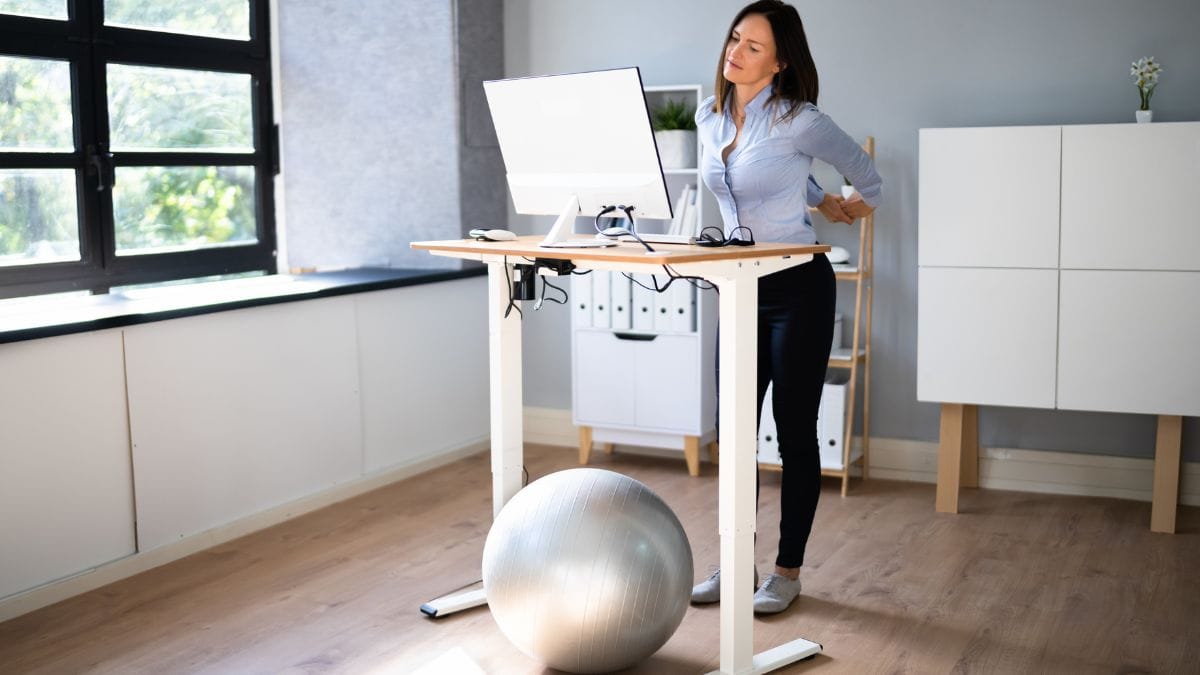
A standing desk is one of the most practical work from home upgrades to consider. I do not think standing all day is realistic for most people, and it definitely is not something I do every day from morning to afternoon. What I do like is having the option to switch positions when I start feeling stiff or restless. A standing desk converter can also be a good option if you already have a desk you like and do not want to replace the whole thing.

A laptop stand or monitor riser is another simple tool that can make your setup feel more comfortable. When your screen is too low, you naturally start leaning forward and looking down, which can lead to neck and shoulder tension. Raising your screen closer to eye level can help your posture and make long work sessions feel a little less draining. Pairing it with a separate keyboard and mouse can make your desk feel more like a real office setup.

A few desk setup tools worth considering include:
- Electric standing desk
- Standing desk converter
- Laptop stand
- Monitor riser
- Wireless keyboard and mouse
- Desk pad
- Cable management clips
- Desk drawer organizer
- Anti-fatigue mat
- Under-desk walking pad
Best Work From Home Productivity Tools for Comfort
Comfort is one of those things that feels optional until your back, neck, or wrists start bothering you. When I first started working from home, I thought any chair and flat surface would work well enough. After years of hybrid work and now working from home full time, I can say that comfort is not just a nice extra. It directly affects how long I can focus and how I feel at the end of the day.
An ergonomic office chair can be one of the biggest improvements if you spend most of your day seated. A good chair should support your back, help you sit at a comfortable height, and make it easier to stay focused without constantly shifting around. If a new chair is not in the budget, smaller additions like a seat cushion, lumbar support pillow, or footrest can still help. These are practical options that can improve your setup without requiring a major purchase.

Lighting also plays a bigger role than people realize. A dark workspace can make you feel tired, while harsh lighting can cause eye strain. I like having a desk lamp with adjustable brightness so I can change the lighting depending on the time of day. Soft lighting in the morning and brighter task lighting during focused work can make your space feel more comfortable and intentional.

Best Work From Home Productivity Tools for Better Posture
Better posture does not have to mean sitting perfectly straight for eight hours. For me, it is more about setting up my space so I am not constantly hunching, reaching, or twisting without realizing it. Small adjustments can make a real difference over time. Your screen height, chair height, and keyboard placement all matter more than they seem.
A laptop riser, separate keyboard, and wireless mouse are a great combination if you work mostly from a laptop. This setup helps bring your screen up while keeping your hands and arms in a more relaxed position. A footrest can also help if your feet do not comfortably touch the floor. These are not flashy tools, but they can make your workday feel much better.

Tools That Help You Stay Focused at Home
Staying focused at home can be tricky because the distractions are different from the ones you deal with in an office. At home, there is always something else you could be doing. Laundry, dishes, pets, kids, deliveries, and your phone can all pull your attention away. After working from home for so many years, I have learned that focus is not something I can always rely on to magically appear, so I try to set up my environment to make focusing easier.
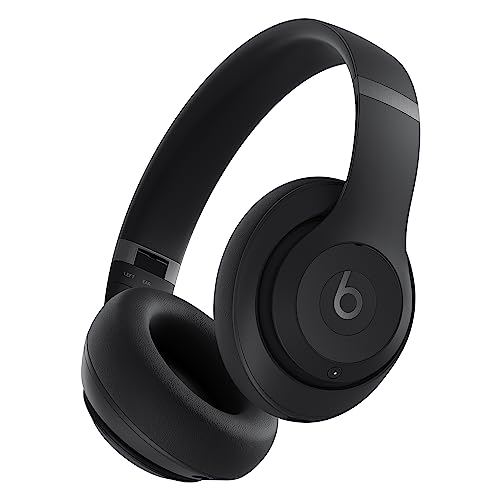
Noise-cancelling headphones are one of my favorite focus tools for working from home. Even if your house is not especially loud, they can help create that feeling of being in work mode. They are especially helpful if you share your space with other people or work near background noise. Sometimes just putting them on is enough to signal that it is time to focus.
A visual timer or simple desk clock can also be helpful if you tend to lose track of time. I like the idea of working in focused blocks because it makes big tasks feel less overwhelming. You can set a timer for 25, 45, or 60 minutes and commit to one task during that time. It is simple, but it can help reduce the urge to keep checking your phone or jumping between tasks.
Some focus-friendly tools to consider include:
- Noise-cancelling headphones
- Visual timer
- Desk clock
- Productivity planner
- Do-not-disturb sign
- Phone stand kept away from your main workspace
- Website blocker app
- Blue light glasses
- Simple daily to-do list pad
Digital Tools That Make Working From Home Easier
The best work from home productivity tools are not always physical items. Digital tools can be just as helpful when they make your tasks, files, schedule, and communication easier to manage. I try to keep digital systems simple because too many apps can become another source of clutter. The goal is to have tools that support your work, not tools that make you feel like you have more to maintain.
A digital calendar is also helpful, especially if your workdays change from week to week. I like blocking out time for meetings, focused work, errands, and breaks so the day has a little more structure. Cloud storage and a password manager can also save time because they keep important files and logins easy to access. These tools may not sound exciting, but they can prevent a lot of frustration.

A task management app can help you keep track of projects, deadlines, and daily priorities. Some people like a detailed project board, while others prefer a basic checklist. I think the best system is the one you will actually use consistently. If it takes too much effort to maintain, it probably will not last.
Looking for a work from home side hustle? Check out my post Side Hustles for Busy Working Moms: My Top 8 Picks for more ideas!
Best Work From Home Productivity Tools for Video Calls
Video calls are a normal part of working from home now, and a few simple tools can make them feel less awkward. When I was in a hybrid setting, it was easy to underestimate how much a good video call setup mattered because some meetings still happened in person. Now that I work from home full time, I notice the difference much more. Clear audio, decent lighting, and a comfortable screen height can make meetings feel less draining.
Lighting is usually the easiest place to start. A small ring light or clip-on desk light can brighten your face and make calls look clearer. This is helpful if your desk is not near a window or if you take calls early in the morning or later in the day. Good lighting can also make you feel a little more put together, even on busy workdays.

Sound quality matters too. A headset or USB microphone can make your voice clearer and reduce background noise. If you are often asking “Can you hear me?” or struggling with laptop audio, this can be a worthwhile upgrade. Small meeting tools like these can make remote work feel more polished without making your setup complicated.
Organization Tools for a Cleaner Workspace
A cluttered desk can make it harder to focus, even if you are not trying to be perfectly neat. I do not think every workspace needs to look minimal or styled, but it should be easy to use. When your most-used items have a place to go, it is much easier to reset your desk at the end of the day. That alone can make the next morning feel less chaotic.

Desk organizers are useful because they keep small items from spreading everywhere. A drawer tray, pen cup, paper sorter, or small storage bin can help contain the things you reach for often. Cable management tools are also helpful if cords make your desk feel messy. Even a few clips or a cable box can make your setup look cleaner and feel calmer.
How to Choose the Right Tools for Your Workday
Before buying anything new, I would start by thinking about what is actually making your workday harder. This is one of the biggest lessons I have learned from working at home for so long. It is easy to get tempted by home office upgrades that look nice, but the most useful tools are the ones that solve an actual problem in your day. If your back hurts, focus on comfort first. If you are distracted by noise, headphones may be a better place to start.
Budget is also important. Some home office tools are bigger investments, like a standing desk or ergonomic chair. Others are smaller and still useful, like a desk lamp, timer, or laptop stand. I like mixing practical upgrades at different price points so the space improves over time instead of trying to buy everything at once.
Easy Ways to Upgrade Your Home Office Without Overdoing It
You do not have to turn your home office into a perfect Pinterest-worthy space for it to be functional. In fact, I think the most useful spaces are the ones that feel realistic. They have a place for the things you use, enough comfort to get through the day, and a setup that makes it easier to start working. That matters more than having every trendy office gadget.
Start with one area that feels frustrating. Maybe your desk is too cluttered, your chair is uncomfortable, or your laptop is always too low. Make one upgrade and see how it changes your day before adding more. This keeps you from buying things just because they look useful online.
Make Your Workday Feel Easier
I would start small and choose the best work from home productivity tools that solve real problems in your day. Maybe that means a standing desk, a better chair, a cleaner desk setup, or a pair of headphones that helps you focus. Over time, those small upgrades can make working from home feel less scattered and more sustainable. And honestly, that is the kind of productivity improvement that is actually worth it.
For more productivity ideas, check out my Work From Home Pinterest Board.
This blog post may contain affiliate links. If you click on these links and make a purchase, I may earn a commission at no additional cost to you. I only recommend products or services I use and believe will add value to my readers. Please note that I am not responsible for the content, privacy practices, or services of external sites linked within the blog post.